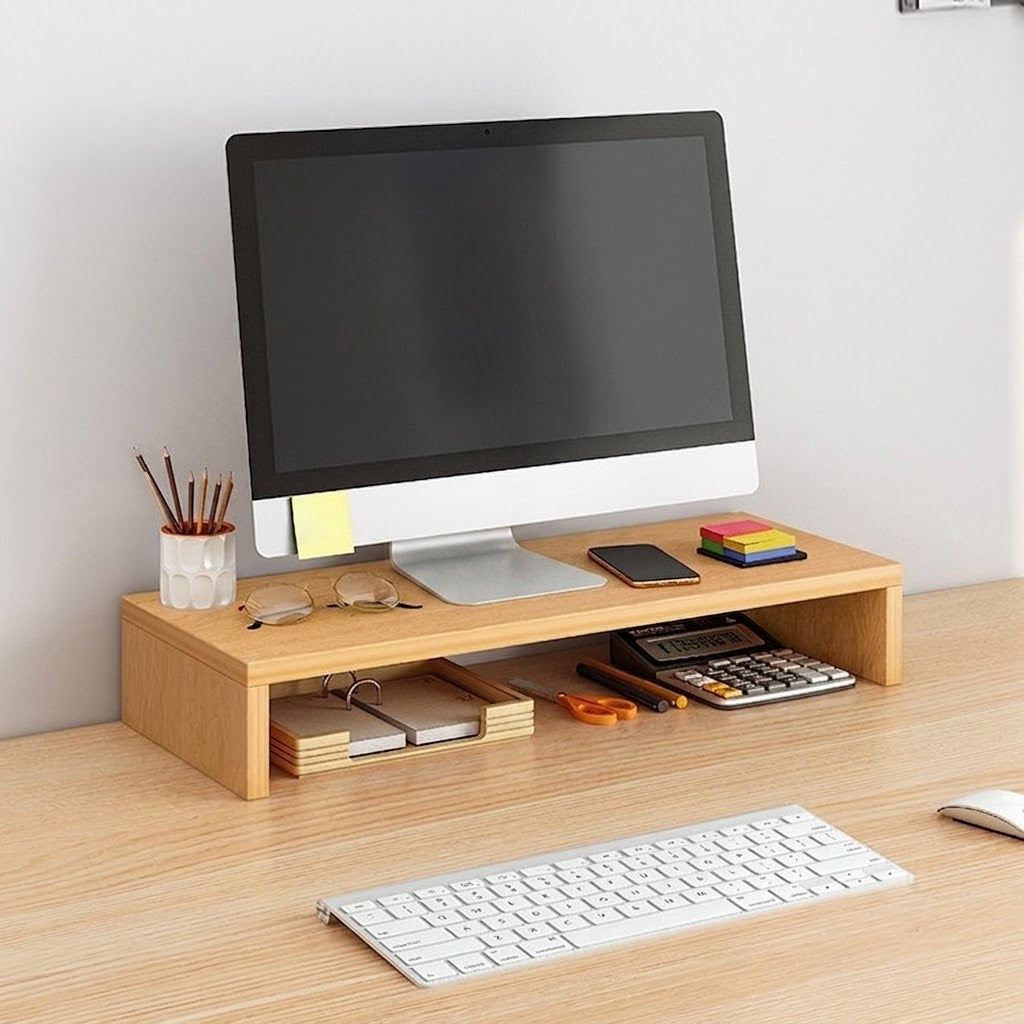
Desktop Monitor Riser Stand
Desktop Monitor Riser Stand
Couldn't load pickup availability

Desktop Monitor Riser Stand
Product Overview
Optimize your workspace layout and enhance your posture with our Desktop Monitor Riser Stand . Crafted from premium, thickened high-density fiberboard, this sleek ergonomic stand elevates your computer screen to a comfortable viewing angle, effectively correcting your sitting posture and reducing strain on your neck and eyes . Featuring a modern minimalist aesthetic with an understated wood-grain surface, it creates an efficient split-tier layout that provides ample under-dock storage room for your keyboard and mouse while keeping essential office stationery neatly organized on top .
Key Features
- Ergonomic Perspective Correction: Elevates your desktop monitor to provide a comfortable eye-level alignment, helping to align the spine, minimize slouching, and protect cervical health .
- Thickened Load-Bearing Panels: Engineered with high-strength, premium fiberboard sheets that resist warping and support heavy computer towers or expansive monitors securely .
- Deep Space Optimization: Designed with an increased 25 cm depth profile to safely steady monitor stands while maximizing functional layout surfaces for everyday desktop sorting .
- Clean Edge-Banding Protection: Finished with tight, seamless edge-sealing treatments that guard against peeling and ensure long-term durability .
- Fun and Seamless Assembly: Features pre-drilled component channels that fit precisely with standard hardware screws, offering an intuitive, quick manual setup process .
Product Specifications
| Feature | Details |
| Product Name | Desktop Monitor Riser Stand |
| Structural Scheme | Single-Tier Platform Shelf |
| Material Composition | High-Density Fiberboard |
| Product Dimensions | 50 x 20 x 8 cm |
| Storage Depth | 25 cm Extended Profile |
| Color Variant | Nordic Maple |
| Style Concept | Modern Minimalist Workspace Utility |
| Application Scope | Monitors, Laptops, Keyboards, and Office Supplies |
| Included Component | Single-Tier Board Unit with Associated Hardware Screws |
Care & Usage Instructions
-
Friction-Free Component Assembly: Align the precision board joints carefully before tightening the matching fastening screws securely into place, ensuring you do not overtighten during manual configuration .
- Under-Dock Storage Alignment: Position the assembled platform directly underneath your computer monitor base, and slide your standard keyboard and mouse completely beneath the deck when not in use to maintain a clean workspace .
- Maintenance & Dusting: The scratch-resistant laminate shell naturally sheds office grime . Clean regularly by wiping down surfaces with a soft, clean towel slightly dampened with fresh water, and avoid soaking exposed board joints or installing items that exceed weight limits .